

Flexible Packaging Artwork Checklist
Prepare the dieline, copy, colors, barcodes and SKU files your packaging supplier needs before custom pouch production can begin.
What should a flexible packaging artwork file include?
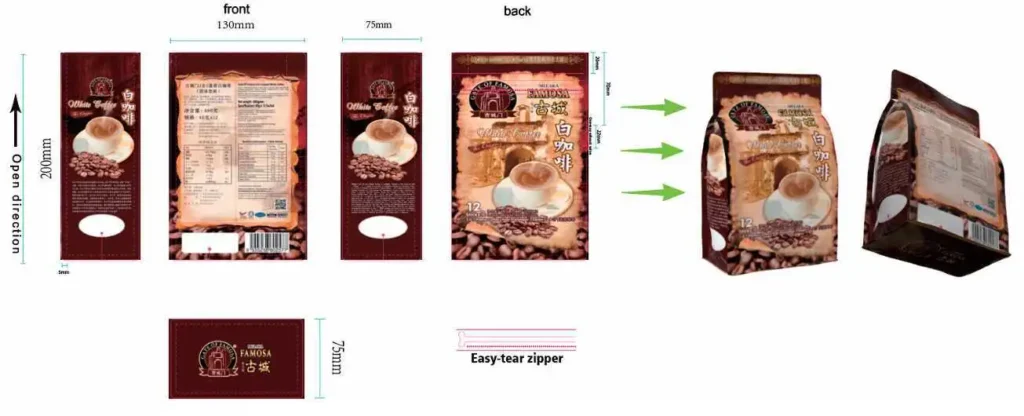
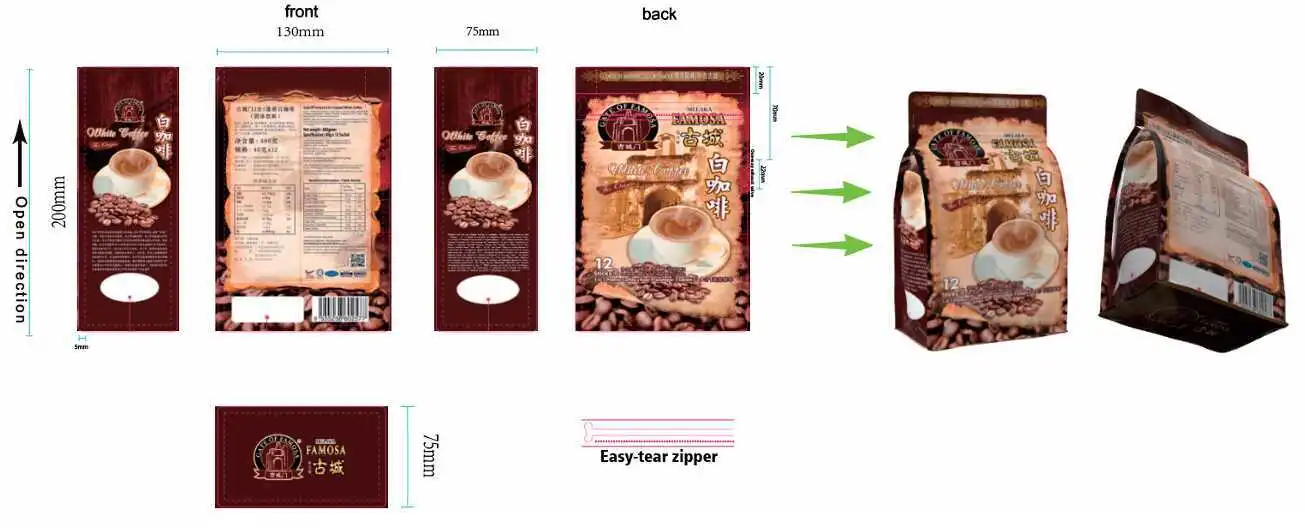
A production-ready file should use the approved pouch dieline and show the finished size, seal and feature areas, final copy, barcode placement, color expectations and every SKU version. Editable artwork is preferred. JPG, PNG or AI-generated visuals can be evaluated, but they may need reconstruction before printing.
Before production, the buyer should approve the final text, spelling, barcode, dimensions, regulatory content and layout in writing. Production timing normally starts only after the final artwork and specification are approved and the required payment is received.
Send the clearest source files available
Editable artwork gives the prepress team the best chance to inspect text, images, layers, colors and placement. If editable files are unavailable, Runlong Pack can first evaluate a high-resolution PDF, JPG, PNG or an AI-generated visual. Simple ideas, basic layout and image-quality improvement can often be assisted without a separate design-assistance fee, while complex original design or artwork that cannot be reliably rebuilt requires separate confirmation.
Artwork source
Supply the editable design, linked or embedded images, and any fonts or outlined text required to reproduce the approved layout.
Packaging specification
State the pouch type, finished dimensions, material or performance target, thickness, features, quantity and SKU count.
Reference material
Provide an approved physical color reference or other agreed standard when brand color is critical. A screen image alone is not a reliable print standard.
Build the design on the correct dieline
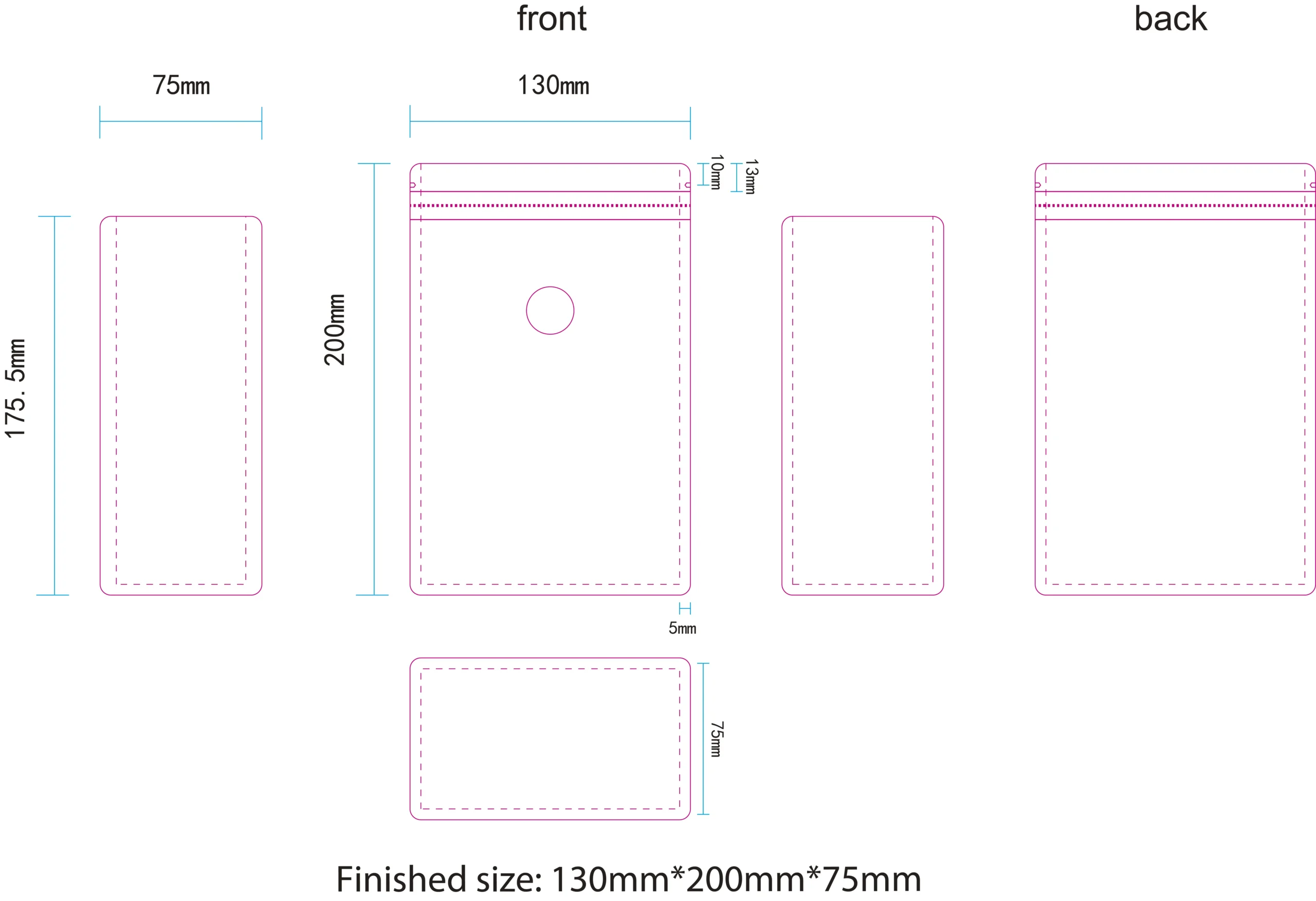
The dieline changes with the pouch format, size, gusset, seal style and added features. A stand-up pouch, flat-bottom bag, side-gusset bag and three-side-seal pouch do not share the same print layout.
- Confirm the finished width, height and gusset dimensions.
- Mark the zipper, valve, tear notch, hang hole and seal areas.
- Keep important content inside the approved safe area.
- Check how front, back, side and bottom panels meet after conversion.
- Use the final supplier-approved dieline rather than an old size template.
Preflight the content before written approval
The packaging supplier can check printability, but the brand owner remains responsible for approving the final commercial and regulatory content. Use this checklist before signing off.
| Check | What to verify | Why it matters |
|---|---|---|
| Product and variant | Product name, flavor, weight and SKU identifier | Prevents one design version from being assigned to the wrong item |
| Copy | Spelling, grammar, ingredients, instructions and contact details | Text normally cannot be corrected after production begins |
| Barcode | Correct code, contrast, orientation and quiet area for the intended scanner | Decorative placement can make a code difficult to scan |
| Dimensions | Finished size, gusset and fill-volume fit | A correctly printed bag can still be unsuitable if the chosen size is wrong |
| Features | Zipper, valve, spout, notch, hang hole and window position | Features may cover artwork or reduce usable panel space |
| Color | CMYK expectation, special color reference and finish | Screens, photographs and different print methods can look different |
| Regulatory content | Required language, symbols and market-specific statements | Applicability depends on the product and destination market |
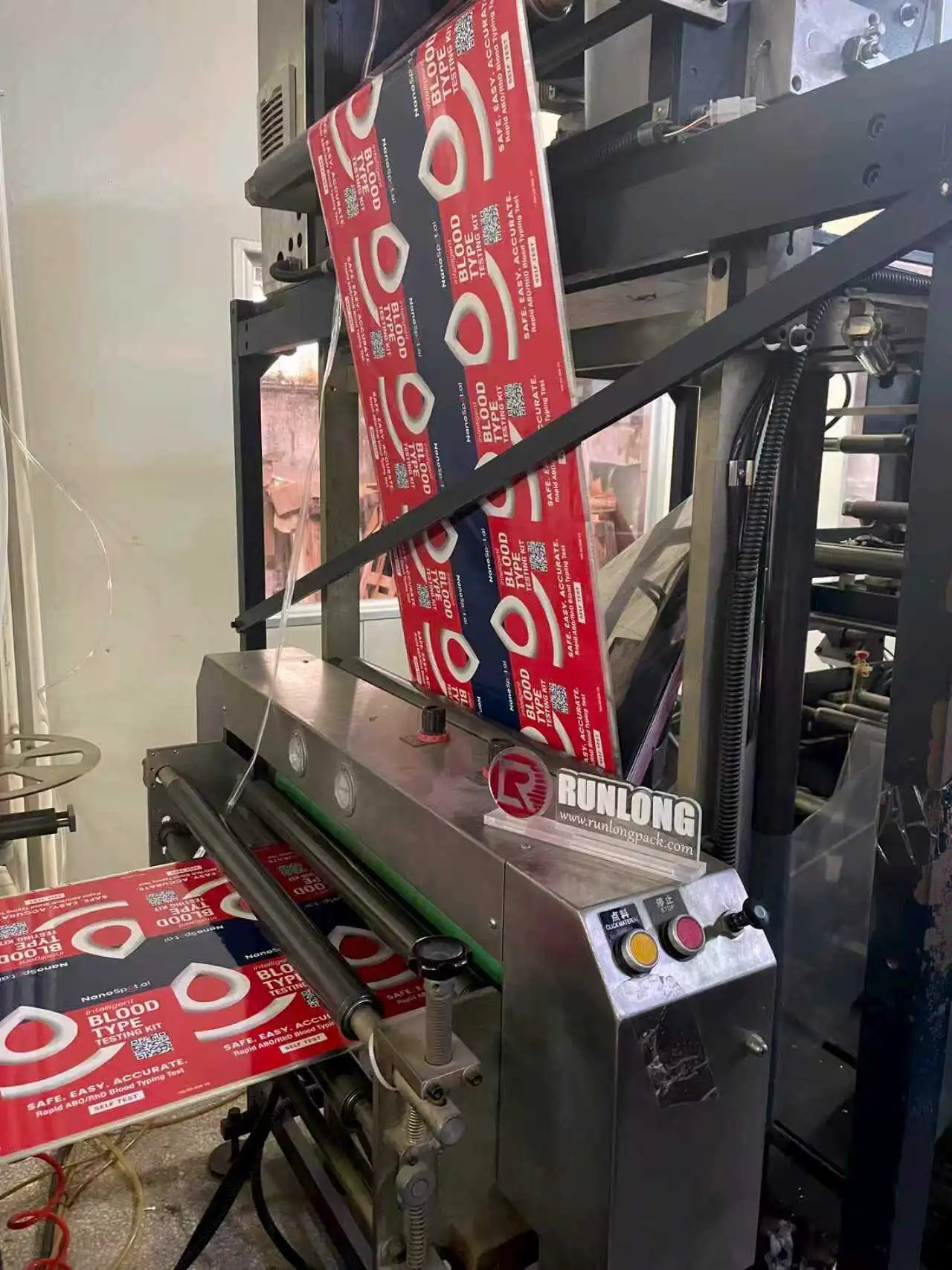
Prepare color expectations for the selected print method
Digital printing
Digital printing normally works in CMYK and is useful for short runs and multiple SKUs. It should not be sold as a method that guarantees exact Pantone matching.
Gravure printing
Gravure uses cylinders that are calculated by color and project. If a strict brand color is important, agree on the reference and approval process before cylinder making and mass production.
Film-sample photos or other production confirmations may be provided, but screens, cameras and different printing systems can create visible differences. Define the acceptable reference before the order starts.
Not sure which process fits the quantity?
Compare the practical differences before finalizing the artwork setup.
Control every SKU as a separate approved design
Multiple flavors or product variants often share a master layout, but each finished design still needs its own copy, barcode and approval. Name files consistently and provide a simple SKU schedule that maps design name, quantity, size and material.
Digital multi-SKU projects
When size, material and process are suitable, multiple designs may be evaluated using the total quantity. This is project-specific and is not an automatic promise that all SKUs can be combined for pricing.
Gravure multi-SKU projects
Different designs normally require their own cylinders. Do not assume the total quantity across all designs will follow digital-printing economics.
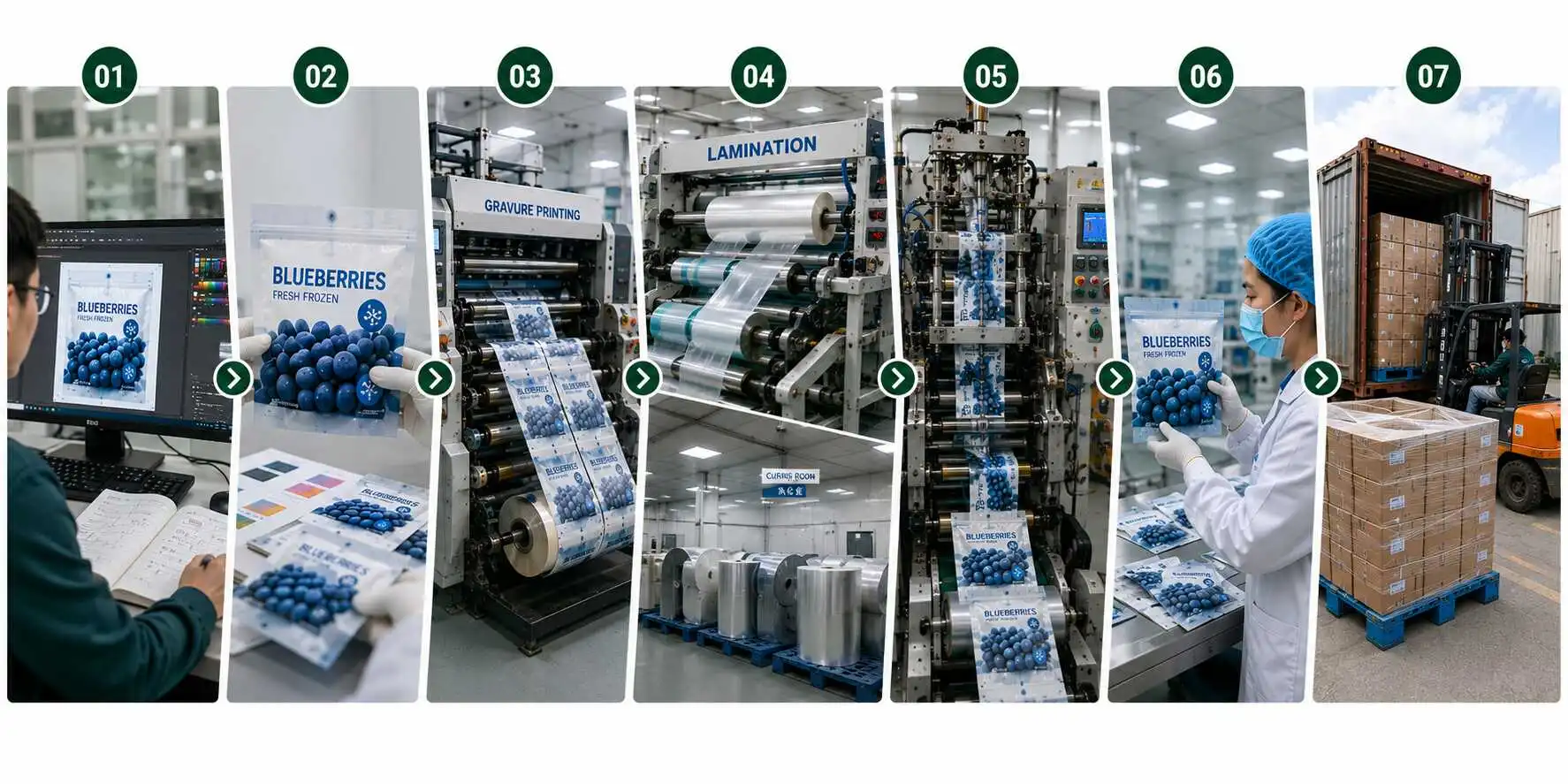
Lock the specification before production starts
1. Confirm the packaging
Product, pouch type, size, material performance, thickness, features, quantity and filling conditions.
2. Fit and preflight artwork
Place every design on the final dieline and check panels, seals, features, copy, barcode and colors.
3. Approve in writing
The buyer approves the final specification and every SKU. Required payment must also be received before production timing starts.
Production changes: after mass production begins, changing wording, colors or layout is usually not possible. Treat the final approval as the last controlled checkpoint.
Common artwork mistakes that delay a packaging project
Designing before size approval
The artwork must be rebuilt when the pouch dimensions, gusset or structure changes.
Using one proof for every SKU
A shared layout does not replace checking the unique barcode, flavor, weight and quantity of each design.
Approving color from a phone
Display settings and photography are not dependable production color references.
Ignoring functional areas
A zipper, valve, spout or seal can cover important text or reduce the usable design area.
Supplying only a low-resolution mockup
A mockup can explain the concept but may not contain print-ready text, layers or images.
Requesting edits after production starts
Late changes can require new materials, cylinders or a new production run.
Flexible packaging artwork questions
Can I send a JPG or PNG instead of an editable file?
Can Runlong Pack help with the layout?
Can digital printing match an exact Pantone color?
Who approves spelling, barcodes and regulatory text?
Can I change the artwork after production begins?
When does production lead time start?
Send your pouch specification and artwork together
Include the packaged product, pouch type, finished size, quantity, SKU count, features, material or performance target, artwork files and destination. Runlong Pack can review the production fit before the design is locked.